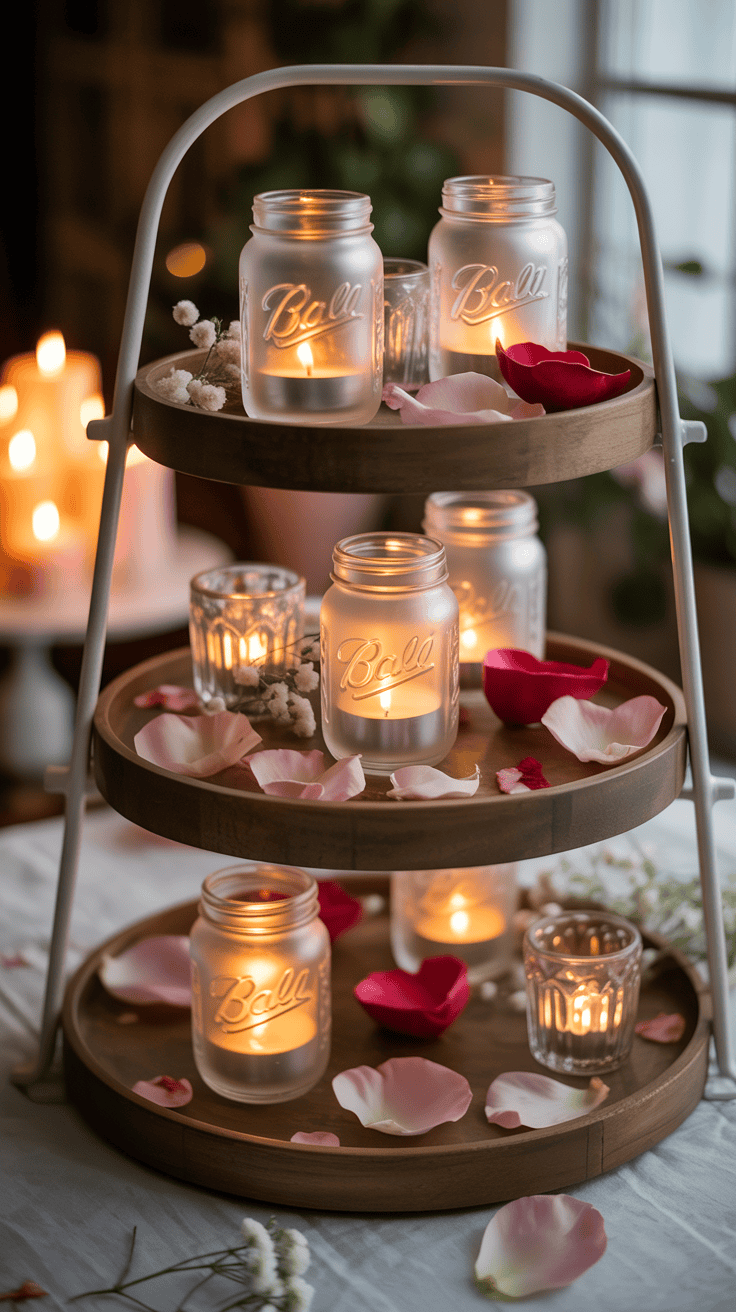

Valentine’s Day Wallpaper Aesthetic for a Romantic Digital Vibe
Most days, my screens feel like extra family members at this point. My phone is always in my hand for quick photos, my boys grab the tablets for cartoons and games, and my laptop holds all my meal plans, school emails, and endless to-do lists. When I switched things up with a soft, sweet valentine’s day wallpaper aesthetic, it surprised me how much cozier our everyday chaos felt. A little blush pink here, a few hearts there, and suddenly that constant screen time felt more like a hug than a headache.
Of course, with three young boys peeking over my shoulder all day, I want a romantic digital vibe without anything spicy or awkward popping up. Think cute, calm, and a tiny bit dreamy, not steamy. If you want your screens to feel more like a cozy Valentine card and less like a candy wrapper explosion, you’re in the right place. I’ll walk you through simple, mom-friendly ideas, real-life examples, and step-by-step tips for choosing, customizing, and organizing Valentine wallpapers across your phone, tablets, and laptop so everything feels lovely and still totally family-safe.

Why a Valentine’s Day Wallpaper Aesthetic Makes Mom Life Feel a Little More Magical

When I set a valentine’s day wallpaper aesthetic on my screens, everything in my day feels a tiny bit softer and sweeter. I am still making lunches, breaking up wrestling matches in the living room, and replying to the school newsletter, but my phone suddenly feels less like a nagging to-do list and more like a little pocket of cozy. That small, pretty detail changes how I feel every time my screen lights up, which, as a mom of three boys, is about a thousand times a day!
Tiny digital changes that boost my mood all day

With three boys, my days are full of noise, crumbs, and constant notifications. I do not always have time for long self-care routines, but I do have time to choose a wallpaper that makes me smile.
When I switched to a soft, romantic Valentine background, something clicked. Checking texts, sorting through email, and even paying bills felt a little less stressful. It felt like I had added a soft blanket to my screen.
I usually lean toward wallpapers that feel:
- Light and airy, with blush, cream, or soft red.
- Gentle, with watercolor hearts or simple doodles.
- Hopeful, with a tiny quote or a simple reminder to breathe.
Mom burnout is very real. Some days I feel like everyone needs something from me at the exact same second. A sweet wallpaper will not fix the laundry mountain, but it does give me quick little hits of calm throughout the day.
For example:
- When my lock screen lights up during a noisy snack time, I see a tiny heart pattern and feel my shoulders drop.
- When a bill reminder pops up, I am still annoyed, but the soft colors make it feel less harsh.
- When I scroll through a packed inbox, the pretty background behind my apps reminds me that life is more than emails.
It is like putting a bouquet on the kitchen table. The mess is still there, but your eyes keep finding that one lovely spot, and your brain gets a small break. Those tiny visual treats add up.
On the hardest days, that little bit of sweetness on my screen feels like a whisper that says, “You are doing a good job. Keep going.”
Keeping it romantic but still kid friendly

I like a romantic vibe on my phone, but I also have three curious boys who grab it any chance they get. I want my screens to feel loving and a tiny bit dreamy, but still completely normal if a kid or grandparent sees it.
So I stay away from:
- Anything too grown-up or suggestive.
- Images that would make me want to hide my phone when a kid climbs into my lap.
Instead, I reach for a cozy, family-safe style. Some of my favorite ideas are:
- Soft hearts and florals that feel like a sweet greeting card.
- Cute sweets, like macarons, cupcakes, or candy hearts with kind words.
- Warm scenes, like a soft blanket, a coffee cup, or glowing string lights.
- Photos with my husband, where we look happy and relaxed, not overly posed or dramatic.
I also want the boys to see romance as something kind and safe. If they peek and see a picture of mom and dad hugging and smiling, that feels right. It shows them love without making anyone feel weird or awkward.
If faith or personal values are a big part of your home, you can:
- Pick wallpapers with simple verses about love.
- Add a small cross or symbol in gentle colors.
- Use quotes about kindness, patience, and grace.
That way, your wallpaper is romantic, but it also reflects your deeper priorities. It is a little visual reminder that love in your home is not just flowers and chocolate. It is also respect, patience, forgiveness, and the way you all treat each other on the busy Tuesday nights.
When my boys grab the iPad to play a game, I like knowing the lock screen they see feels warm, safe, and sweet. It keeps that Valentine feeling fun and lighthearted, not cringey or inappropriate.
Using wallpapers as a visual love reminder

One of my favorite things about wallpapers is how they quietly nudge my heart during the day. It is not just about pretty colors. It is about what those images and words remind me to do.
When I see my Valentine wallpaper, it often prompts me to:
- Send my husband a quick “thinking of you” text.
- Plan a simple at-home date night with takeout after the kids are in bed.
- Pause and pull my boys into a hug, even in the middle of the chaos.
You can make your wallpaper work like a gentle little reminder with:
- Short love quotes, like “You are my favorite” or “Love lives here.”
- Simple affirmations, such as “Loved,” “Grateful,” or “One day at a time.”
- Photos of real moments, maybe a family trip, a Sunday morning, or a silly selfie with the kids.
Those tiny words and snapshots can shift my focus in seconds. If I am tired and opening my phone for the tenth time in an hour, seeing “Love lives here” under a picture of us at the park pulls me out of frustration and into gratitude.
It does not make the grocery list shorter or the homework easier, but it reminds me why I am doing all of it. These boys, this marriage, this family life. Even when it is loud and messy, it is such a gift.
On the hardest afternoons, when someone is crying and there are socks everywhere, I catch a glimpse of my lock screen and remember:
- I prayed for this life.
- I wanted this home, these people.
- This busy season will not last forever.
A simple wallpaper can turn into a little heartbeat of love on your phone. Every time the screen lights up, it is like a soft tap on the shoulder saying, “Hey, look around, there is so much to love right here.”
Choosing a Valentine’s Day Wallpaper Style That Matches Your Real Life
When I set up a new valentine’s day wallpaper aesthetic, I always ask myself one thing first: will this still feel cute and calm when someone is crying, someone is hungry, and someone just spilled juice on the couch? If the answer is no, it does not last long on my screen. The best wallpaper style is the one that fits your real routines, your kids, and your tired 6 a.m. eyes.
I like to think of wallpaper styles like different types of blankets. Some are soft and simple, some are bright and silly, and some feel a little more grown-up. You just have to pick the one that feels right for your season of mom life.
Soft and cozy: blush tones, hearts, and simple shapes

On my busiest weeks, I reach for the soft and cozy look. Think blush, cream, dusty rose, and light red. It feels like a warm latte for your screen.
I love wallpapers that use:
- Gentle watercolor washes in pink and cream
- Simple heart outlines scattered across the screen
- Soft polka dots or wavy lines that are not too busy
The key is to keep the design simple. No heavy patterns. No loud graphics. Just soft shapes that sit quietly in the background.
This style is perfect if you:
- Check your phone a hundred times a day
- Juggle kids, snacks, school messages, and work chats
- Already feel mentally full by 9 a.m.
When my screen is calm, my brain feels calmer too. If I am opening my phone to deal with a school email or a doctor reminder, I do not want a wild pattern shouting at me from behind my apps. I want something that feels like a deep breath.
Some cozy ideas that work really well:
- A pale pink background with tiny white hearts
- A cream background with one large, soft heart in the center
- A watercolor blend of blush and peach, with no text at all
Soft designs also make your icons easier to see. That matters when you have a toddler on your hip and you are trying to hit the right app with one thumb. Nothing feels more stressful than squinting at a cluttered screen while someone yells “Mom!” in your ear.
If your days feel loud and full, a soft and cozy wallpaper can be the visual version of putting on fuzzy socks. It is small, but it really helps.
Fun and playful: candy hearts, doodles, and bold colors

Then there are the days when I lean right into the kid chaos and go bright and fun. My boys love this style. If you have younger kids, this is such a sweet way to pull them into the Valentine feeling too.
Think:
- Candy hearts with short, kind words
- Hand-drawn doodles, like arrows, hearts, and little stars
- Cute characters, like smiling cupcakes or happy hearts
- Bold colors, like hot pink, bright red, mint, and sunshine yellow
This style works so well on shared devices, like:
- The family iPad that everyone grabs
- The tablet the kids use for shows and games
- A small kitchen screen you use for recipes and music
When my boys see candy hearts or silly cartoons on the lock screen, they light up. It turns “Can I watch a show?” into “Ooooh, look at the hearts!” for about three extra seconds, which I will happily take.
A playful wallpaper can:
- Make kids smile when they see your phone
- Spark quick conversations about kind words and love
- Help Valentine’s Day feel like a family theme, not just a couple thing
For example, you might use:
- A bright pink background with cartoon candy hearts that say “Be Kind” or “Best Day”
- A white screen covered in hand-drawn hearts in your kids’ favorite colors
- A simple character, like a big happy heart with a face, centered on the screen
This style is louder than the soft and cozy one, so I save it for devices where focus is not as important. It is fun, silly, and very kid friendly. Perfect for snow days and weekend screen time.
Minimal and modern: clean lines and simple romantic vibes

Sometimes I want my screens to feel clean and grown-up, but still sweet. That is when I go for a minimal and modern Valentine look. It is such a nice fit if you use your devices for work or run a business from home.
A minimal style usually means:
- Just a few colors, often neutrals plus one soft pink or red
- Clean, simple fonts
- Very simple graphics or shapes
Some easy ideas:
- A plain cream background with a single heart outline in the center
- A soft gradient from pale pink to white, with no text
- A small “love” or “grace” quote in tiny type at the bottom
This style shines on:
- Work laptops
- Mom-business devices
- Phones you use in meetings or around clients
I like that it still feels romantic, but it does not scream “holiday wallpaper”. It just gives a quiet Valentine nudge.
Minimal wallpapers are also great if you:
- Have a lot of folders and apps on your home screen
- Use widgets or calendars on your phone
- Need to read tiny text without distraction
A clean background helps your eyes find what you need faster. No fighting with busy patterns. No icons lost in a sea of graphics. It keeps your screen feeling calm and a little more professional, while still soft and loving.
If your brain gets tired from visual clutter, this style is a gift. It is like giving your screen a tidy desk and a single vase of flowers.
Photo based wallpapers: using your own romantic and family moments

One of my favorite tricks is to skip pre-made designs and use my own photos. It makes my screen feel personal, not just pretty. You probably already have a whole Valentine collection hiding in your camera roll.
Some sweet ideas:
- A date night selfie with your partner
- A family cuddle pile on the couch
- Kids holding up paper hearts or homemade cards
- A wedding or engagement photo
- Kids baking heart-shaped cookies or decorating cupcakes
To make a photo work as a wallpaper, I watch for:
- Bright, clear light so faces are easy to see
- Simple backgrounds, like a wall, sky, or couch
- Space around the main subject, so icons and the clock do not cover important details
A few quick tricks help a lot:
- Crop the photo so the focus is on one moment, like your hands or your kids’ smiles
- Zoom in on details, such as fingers linked together, a heart cookie, or two mugs of hot chocolate
- Use a blur tool to soften the background if it feels too busy, so your apps stand out
I love using close-up moments, like my hand in my husband’s hand, or my boys’ little fingers holding valentines. Those tiny snapshots feel so special, and they usually look beautiful behind icons.
If your phone lets you soften or dim the wallpaper on the home screen, turn that on. It keeps your apps readable while still giving you that sweet family scene underneath.
Every time my screen lights up and I see a real memory, it pulls me out of the never-ending to-do list and back into my actual life. That is worth a lot.
Matching your wallpaper to your real lifestyle and routines

All these styles are fun, but the best one is the style that fits how you actually use your screens. I try to match each device to its main job in our home.
Here is how I break it down:
- Phone for work and daily life: I keep it simple. Soft and cozy or minimal and modern usually win here. I need to see text, calendar alerts, and icons fast. Calm backgrounds help my brain stay steady when the day gets wild.
- Kids’ tablets and family iPads: This is where I go bright and playful. Candy hearts, doodles, and cute characters feel right here. These are the screens my boys see the most, so I want them to feel silly and fun.
- Shared laptop: I like sweet but neutral for this one. Maybe a soft gradient, a small heart, or a family photo with lots of open space. It should feel warm, but not too personal or distracting.
When you think about your own home, ask yourself:
- What device do I open before the sun is up, with sleepy eyes and a cranky toddler nearby?
- Which screens do my kids grab the most?
- Where do I need my brain to focus, without extra noise?
You want a wallpaper that still feels cute at 6 a.m. when someone is crying and breakfast is burning. You also want something that does not feel too loud when you are tired and overstimulated.
If you are in a season of stress, go softer and simpler.
If your kids are obsessed with holiday fun, go brighter and sillier on their screens.
If you are building a business on your laptop, keep it minimal and clean with a small romantic touch.
Your valentine wallpaper does not have to look like anyone else’s. It just has to feel good in your real, messy, wonderful life.
Where to Find Cute, Safe Valentine’s Day Wallpapers (And How I Make My Own)
When I start playing with a valentine’s day wallpaper aesthetic, I want it to feel sweet, safe, and quick to set up. I do not have time to fight sketchy websites or dig through 4,000 photos while someone asks for another snack. So I stick to a few trusted sources and some simple tricks that even my three wiggly boys can help with.
Saving wallpapers safely from trusted websites and apps
I treat wallpapers like anything else my kids might see on a screen. If I would not want them scrolling there, I do not download from it.
Some of my favorite family-friendly places to grab cute Valentine wallpapers are:
- Canva (app or website)
- Unsplash
- Built-in phone themes or wallpaper sections
On those apps and sites, I search with simple keywords like:
- “Valentine phone wallpaper”
- “Heart background”
- “Romantic aesthetic”
- “Pink minimalist wallpaper”
- “Cute Valentine lock screen”
I like to keep it broad, then scroll until something feels soft and cozy, not loud or too intense.
A few safety checks I always use:
- Watch for pop-ups. If a site explodes with ads or flashing pop-ups, I back out.
- Avoid fake download buttons. If there are three giant “Download” buttons and none of them look normal, I trust my gut and leave.
- Check the file type. Wallpapers should be images, like
.jpgor.png. Anything like.exeor.zipfor a simple wallpaper is a hard no. - Look for clear “free for personal use” language. Most big sites like Unsplash or Pexels say if you can use an image for personal use. For a wallpaper, I want it clearly allowed.
On Pinterest, I tap through to the original source if I can, then save the image from there. On Unsplash, I tap the download button, let it save to my photos, then set it from my gallery. On my phone’s built-in wallpapers, I usually look under “Illustrations” or “Seasonal” and pick something soft and simple.
If my boys are near me, I let them help scroll and give a thumbs-up or thumbs-down. I keep final approval, but they love pointing to their favorites, and it keeps the choices kid friendly without me overthinking every single option.
Making your own simple Valentine wallpaper in Canva
One of my favorite fast tricks is to just make my own wallpaper in Canva. It sounds fancy, but I promise, it is “mom with five free minutes” level easy.
Here is how I usually do it:
- Open Canva on my phone or laptop.
- Tap Create a design, then pick a custom size. For a phone, I often use something close to my screen size, or just pick “Phone wallpaper” if it shows up.
- Choose a background color. I love blush pink, soft cream, or a dusty red. A solid color keeps it from looking too busy.
- Add hearts or shapes. I tap on “Elements”, type “heart”, then drag a few simple hearts onto the screen. Sometimes I:
- Scatter tiny hearts across the top
- Put one big heart in the center
- Add two hearts side by side for me and my husband
- Add text if I want. I tap “Text” and add a short phrase, like:
- “Love lives here”
- “Be kind”
- “February 2025”
I keep the font easy to read and not too thin. A simple script paired with a clean font looks sweet.
- Check that icons will still show. I leave the top and bottom areas a little cleaner, so the clock and app names do not get lost.
- Download the image as a regular image file and save it to my photos.
Then I go into my phone settings and set it as my lock screen or home screen.
The fun part is letting the kids help. My boys love:
- Picking the main color
- Choosing which hearts we use
- Adding one tiny “secret” heart for each kid
Sometimes I hide their hearts in little corners, like a mini treasure hunt. They giggle later when they spot “their” heart on my phone, and it turns a simple wallpaper into a sweet little family thing.
Turning kids’ art and crafts into digital wallpapers

Another trick that makes my heart melt is turning the kids’ Valentine crafts into wallpapers. It is so easy, and it makes my lock screen feel like a fridge door full of love.
Here is what I usually do:
- Pick a favorite piece of art. Maybe a hand-painted heart, a Valentine card they made at school, or a drawing of our family with little hearts floating above.
- Find some good light. I lay the art flat on a table near a window or a bright lamp. No harsh shadows if I can help it.
- Take a clear photo. I stand right above it and line it up so it fills most of the screen. I tap to focus and make sure it is not blurry.
- Crop the image. In my photo editor, I crop it into a tall rectangle so it fits a phone screen shape. I cut out the messy table edges or other clutter.
- Brighten a little. I gently bump up the brightness and contrast so the colors pop and the whites look cleaner.
Then I set that photo as my lock screen.
A few simple tips help it work better as a wallpaper:
- Pick art with a lighter background, like white or light pink, so the time and date at the top are easy to read.
- Avoid super dark or super busy pages, since your icons and clock can disappear in the chaos.
- If the middle is really busy, I sometimes set it as my lock screen and keep a calmer design on my home screen.
The emotional part hits me every time. When I grab my phone to check the time, I see my son’s wobbly heart painting or a little “I love you Mom” note. It pulls me out of my rush and reminds me that these tiny people are my real work.
On hard days, that one little picture can change my whole mood. It feels like a hug right there on the screen.
Keeping downloads organized so you can swap wallpapers fast

Once you start saving Valentine wallpapers, they multiply fast. I learned that if I do not stay a little bit organized, I end up scrolling for five minutes just to find “that one pink heart background” while a kid is asking for help.
So I keep it simple with a few mom hacks.
On my phone, I like to:
- Create a “Valentine Wallpapers” album in my photo app. Every time I save a new design, I move it right into that folder.
- Favorite the top three, so I can switch quickly between them without digging.
- Delete the duds. If something is blurry, cropped weird, or not my style anymore, I just delete it. Less junk to scroll past.
On my laptop, I have:
- A main “Holiday Wallpapers” folder
- Inside that, a “Valentine” subfolder and then a few files named things like “soft-hearts-desktop” or “minimal-pink-quote”
It sounds fussy, but it makes life easier when February 1 hits and I am ready for that sweet screen refresh. I just open the folder, click the one I want, and set it.
The best part is how quick it is to change the vibe later. When Valentine’s Day passes and I am ready for spring, I:
- Swap the Valentine album for a “Spring Wallpapers” album
- Switch the laptop folder from “Valentine” to “Spring”
- Keep only my favorite Valentine designs for next year
It turns changing wallpapers into a fun little seasonal ritual, not a stressful hunt through old screenshots and random downloads. And as a busy mom with three boys climbing into my lap, anything that saves me even two minutes is a win.
Setting Up a Romantic Digital Vibe on Every Device Step by Step

Once I picked a sweet valentine’s day wallpaper aesthetic, the next step was getting that cozy, romantic vibe onto every screen my boys and I touch in a day. I wanted my phone, their tablets, and my laptop to feel like little love notes scattered around the house, not random, mismatched screens that fight for attention.
I like to keep the setup simple, quick, and flexible, so I can change things as the month goes on without feeling stuck or overwhelmed.
Phone lock screen and home screen: quick changes that you see all day
My phone is the screen I see the most, so it sets the tone for my whole day. The lock screen and home screen do different jobs, so I treat them differently.
- Lock screen: This is what I see when I tap my phone to wake it up. No apps yet, just the time, date, and notifications.
- Home screen: This is where all my apps live. It has icons, widgets, and folders.
I like a more detailed, photo-based image on the lock screen. This might be a romantic picture of my husband and me, or a photo of the boys holding paper hearts. Since there are no app icons in the way, I can enjoy the full picture without clutter.
On the home screen, I go softer and less busy. If the pattern is too loud, I cannot see my apps, and that drives me crazy when a kid is tugging on my sleeve. I usually pick:
- A gentle gradient in blush and cream
- Tiny, spaced-out hearts
- A pale pink background with one soft design off to the side
Here is how I switch things up on my phone without getting too technical.
On iPhone:
- Open the Settings app.
- Tap Wallpaper.
- Tap Add New Wallpaper or pick the current one to change it.
- Choose a photo from your camera roll or use one from the built-in options.
- Pinch to zoom, drag the image, and adjust so faces and hearts are not hidden behind the clock.
- Tap Set as Wallpaper Pair if you want the same image, or choose Customize Home Screen to pick a softer design for your apps.
On Android (general idea):
- Press and hold on a blank space on your home screen.
- Tap Wallpaper or Wallpaper & style.
- Choose Lock screen, Home screen, or both.
- Pick an image from your gallery or the phone’s wallpaper library.
- Adjust the position and size until it looks right.
- Tap Set wallpaper.
I like to check one last time:
- Can I read the time on my lock screen at a quick glance?
- Can I see my app names clearly on the home screen?
- Does the whole phone feel calm when I open it, even in a rush?
If the answer is yes, I know I chose well.
Tablets and shared devices the kids always grab
In our house, the tablets might as well have legs. The boys grab them for shows, games, and car rides. Since these are shared devices, I keep the Valentine vibe fun, bright, and kid friendly, not too mushy.
I skip heavy romance here and pick things like:
- Smiling hearts with silly faces
- Candy hearts with words like “Be Kind” or “You Rock”
- Cute cupcakes, balloons, or envelopes with little hearts
These designs still feel sweet and seasonal, but no one feels weird when the screen lights up in front of grandparents or friends.
The basic steps feel a lot like the phone.
On iPad:
- Open Settings.
- Tap Wallpaper on the left side.
- Tap Add New Wallpaper or choose the existing one to change it.
- Select a photo from your camera roll, or choose one from Apple’s options.
- Adjust the image by pinching and dragging.
- Tap Set and decide if it is for Lock Screen, Home Screen, or both.
On Android tablets:
- Press and hold on the home screen.
- Tap Wallpaper.
- Choose whether you want to change the home screen, lock screen, or both.
- Pick an image from your photos or the tablet’s wallpaper options.
- Adjust and tap Set wallpaper.
If your tablet supports multiple user profiles or accounts, this is such a nice trick:
- Make a Parent profile with your calmer, more romantic wallpaper.
- Make a Kids profile with bright hearts, cartoons, or silly Valentine art.
That way:
- I get my cozy, soft design when I log in.
- The boys get happy, playful screens when they tap their names.
It keeps things personal without having to fight over “too girly” or “too babyish” wallpapers. Each person gets their own little digital space, which feels special.
Laptops and desktops: making work feel a little more romantic
My laptop is where the “real life” work happens. Budgeting, grocery lists, emails from school, calendar checks. It is not the most romantic place, but a simple Valentine background helps all that work feel a little softer.
I do not want anything too wild here, since I often have:
- Browser tabs open
- Folders on the desktop
- Windows covering most of the screen
So I aim for minimal or calming backgrounds, like:
- A soft pink gradient with no text
- A pale background with a tiny heart in one corner
- A gentle pattern that fades in the center
Here is how I change things with very simple steps.
On Mac:
- Click the Apple menu in the top-left corner.
- Choose System Settings (or System Preferences on older versions).
- Click Wallpaper or Desktop & Screen Saver.
- Click the + button or Add Folder to use your own images, or pick from the list.
- Select the image you want.
- Choose how it should fit, like Fill Screen or Fit to Screen.
On Windows:
- Right-click on an empty area of the desktop.
- Click Personalize.
- Select Background.
- Choose Picture, then click Browse to find your Valentine image.
- Pick how it should fit, like Fill, Fit, or Center.
I always ask myself:
- Will I still like this background with 20 icons on top of it?
- Can I see my folders easily, or do they blend into the design?
- Does it look calm when all my windows are minimized?
My favorite trick is to find a wallpaper that has most of the detail at the top or sides, and a softer, open area in the middle. That way, when I have windows open, the screen still feels tidy and not chaotic.
Matching or coordinating wallpapers for a cozy, pulled together feel
Once the main devices are set, I love to step back and see how everything looks together. When my phone, the kids’ tablet, and my laptop all share a matching or coordinating vibe, it makes our whole tech life feel more cozy and intentional.
They do not have to use the exact same picture. I like to think in themes:
- Same colors: Maybe everything uses blush, red, and cream, just in different patterns.
- Same idea: Hearts on my phone, candy hearts on the tablet, a soft pink wash on my laptop.
- Same photo set: A close-up of our hands on my lock screen, a family photo on the tablet, a wider version of that day on the laptop.
A few easy combos I love:
- Phone lock screen: photo of my husband and me, slightly blurred.
- Phone home screen: soft pink with tiny white hearts.
- Kids’ tablet: bright candy hearts with fun words.
- Laptop: pale pink background with one simple heart.
Everything feels related, but each screen still does its own job.
When I try a new setup, I like to:
- Take a quick screenshot of each screen.
- Flip through them like a little slideshow.
- Ask myself how it feels in real life, not just in my head.
Sometimes a design looks perfect in a download, but once I put icons and widgets on top, it feels too loud or too dark. Screenshots help me see that fast.
I remind myself there is no perfect setup that works for everyone. Some moms love bold hearts everywhere. Some need almost plain screens with just a hint of pink. The fun part is playing around until it feels like your family.
If you try something and do not love it, change it tomorrow. Or tonight. Our screens are in our hands all day, so they should make us smile, not stress us out. When every device quietly matches the loving mood in your home, even the boring tasks feel a little more warm and cozy.
Keeping the Valentine’s Day Vibe Going With Simple Digital Habits
Once I set a cozy valentine’s day wallpaper aesthetic, I do not want that sweet feeling to disappear the moment February ends. I like to treat my screens like I treat my front porch decor, always slowly shifting with the seasons, always a little fresh and fun. Simple digital habits keep that warm, loving vibe going all year without a lot of effort, which is exactly what I need as a mom of three busy boys.
Creating a gentle screen refresh routine for each season
One thing that helps me so much is treating wallpaper swaps like a tiny seasonal ritual, not a big project. I set a reminder in my phone at the start of each season, and for a few holidays that matter most to us. When that reminder pops up, I know it is time for a quick little screen refresh.
You could set reminders for:
- Early February for Valentine’s Day
- Early March for spring
- June for summer
- September for fall
- Late November for Christmas or winter
I keep the whole thing simple. After the kids go to bed, I grab a cup of coffee or tea, sink into the couch, and give myself 10 quiet minutes to swap wallpapers. No multitasking. No scrolling social. Just me, my screens, and a tiny reset.
In those 10 minutes, I like to:
- Delete any wallpapers I know I will never use again.
- Pick one or two favorites for my phone and laptop.
- Let the boys help choose something fun for the shared tablet the next morning.
It feels like I am tidying a small corner of my life. My screens go from cluttered and stale to fresh and inviting, and my brain feels a bit lighter too.
Over time, that simple habit keeps my tech from feeling messy and forgotten. Instead of staring at the same tired wallpaper for months, I get:
- New colors that match how the season feels
- Fresh reminders that life is moving and changing
- A fun way to mark little shifts in our family routines
I also notice that a regular wallpaper refresh keeps me from letting screens turn into visual junk drawers. If I am pausing to update the background every few months, I am more likely to clear old apps, remove extra widgets, and clean up my home screens a bit.
It is a tiny ritual, but it keeps my phone and other devices feeling like part of our home, not just random gadgets we use and toss aside.
Involving the kids while still saving special romantic spaces
My boys love feeling included in any kind of decorating, even on screens. I like to give them a say on shared devices, while still keeping one or two spaces just for me and my husband. That balance keeps things fun for them and still sweet for our marriage.
For shared devices, like the family iPad, I invite the boys to help pick a Valentine wallpaper. We sit together and scroll through a small folder of kid-safe designs. I usually give them two or three options, so it does not turn into a long debate.
Some fun kid-friendly choices are:
- Cartoon hearts with happy faces
- Candy hearts with simple words like “Be kind” or “You rock”
- A colorful pattern with hearts and stars
Then, for my own phone, I pick something a bit more romantic and personal. For example:
- I set a family photo on the iPad lock screen, maybe all of us at the park or the boys holding paper hearts.
- I set a sweet couple photo on my phone lock screen, like a selfie from a date night or us holding hands.
- On my home screen, I might use a short love quote, such as “Always my favorite” or “Love lives here”.
This split works really well. The kids see themselves on the tablet and feel proud and included. I keep one or two digital spaces where my relationship with my husband gets to shine by itself.
I love that it also teaches them something about love in a simple, natural way. When they see:
- A cozy photo of mom and dad smiling
- A gentle quote about love or kindness
- Family photos mixed in with hearts and soft colors
they learn that love is warm, safe, and everyday. Not just fancy on holidays. Not just in movies. It is hugs in the kitchen, silly selfies, and little notes we leave on each other’s phones.
Sometimes one of my boys will point at my lock screen and say, “That is you and Dad at the fair!” and it opens the door for sweet little talks. We can chat about how families are built on love, and how caring for each other is something we celebrate, not hide.
So yes, let the kids help pick the fun stuff on shared screens. Then give yourself permission to keep one wallpaper that is just for you and your partner. You are allowed to have that small, private, romantic corner, even in your digital life.
Letting go of perfection and just having fun with it
The more I play with wallpapers, the more I realize perfection is the first thing that needs to go. Your screens do not have to look like a styled Instagram flat lay. They do not need to match anyone else’s aesthetic. They just need to feel good to you.
Some weeks I want soft blush and tiny hearts. Other weeks I want a loud, funny kids’ art photo that makes me laugh every time I unlock my phone. Both are fine. Both are real life.
You are allowed to:
- Change your mind as many times as you want
- Try a wallpaper for two days and then switch again
- Use a slightly grainy photo that makes you happy anyway
- Mix cute kid chaos with quiet romantic moments
I remind myself that my screens do not live on Pinterest. They live in my kitchen, my minivan, my messy couch. They live in snack time, homework time, and 10 p.m. “I forgot to sign the form” time. So they should match that life, not some perfect version that does not exist.
If a wallpaper feels cozy, joyful, and kind to your eyes, it is a win. If it makes you smile for half a second when a notification pops up, that is enough. You do not need the “most aesthetic” setup on the internet.
Play with colors. Swap photos. Try a quote, then try a blank background. Let your kids vote sometimes. Let your heart lead other times. You are not locked into one style, and you are not behind if you change things often.
Your screens are just another little spot where you get to express love, comfort, and personality. Keep it light. Keep it fun. Take a deep breath, pick what makes you happy, and remember, you can always change it tomorrow!! This is your home, your family, your phone, and you get to enjoy it your way!!

Conclusion
A sweet valentine’s day wallpaper aesthetic turns everyday screens into tiny love notes, and I love how simple that feels. I get a romantic, kid-friendly vibe that never feels awkward when my three boys grab my phone, and I still get those soft, cozy touches that make me smile during the busiest parts of the day.
These little mood boosts add up. A soft heart pattern on my home screen, a cute candy-heart design on the tablet, a gentle photo on my laptop, all of it makes snacks, emails, and school messages feel a bit lighter. The best part is how easy it is once my wallpapers are saved and organized. Swapping looks on each device takes just a minute, and I do not need a big block of time to make it happen.
If you feel tired or overwhelmed, start small. Pick just one device to update today. Your phone, the family iPad, or your work laptop. Do not wait for the perfect photo or the perfect moment. Just choose something soft, loving, and simple that feels good to you right now.
Imagine opening your phone on February 14, with your kids piled around you and your partner nearby, and seeing a screen that looks warm, happy, and full of love. That tiny glow on your lock screen can be one more quiet way you celebrate the love inside your home, all month long.
This post may contain affiliate links. Read the full disclosure here.